OrdoVia
Business software for small companies and small teams.
OrdoVia brings client records, contacts, projects, tasks, documents, portals, and day-to-day work into one system.
It was built for smaller companies that need more structure without taking on enterprise software that is expensive, oversized, or difficult to maintain.
Request a discovery call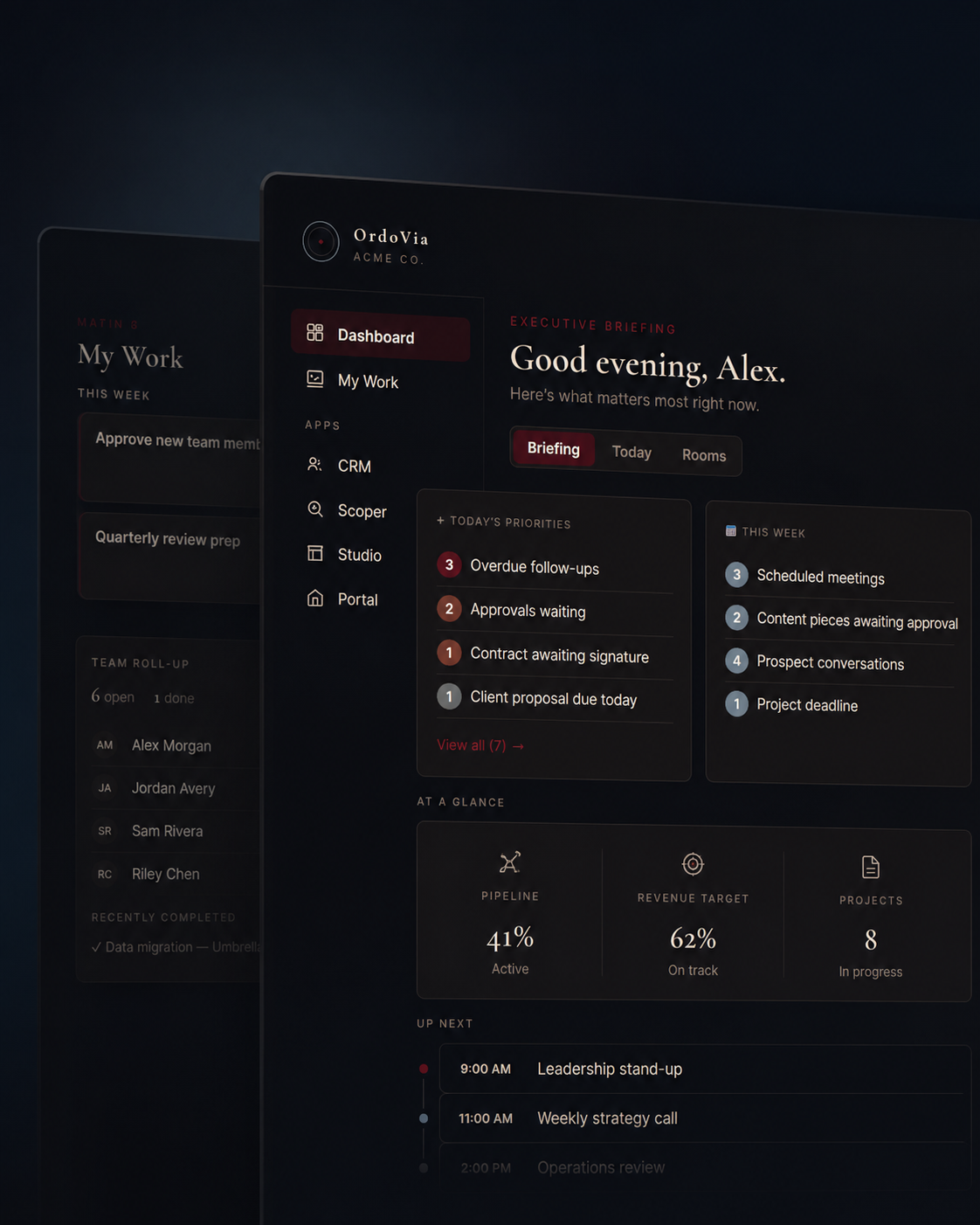
The problem
Business has moved online whether small companies were ready for it or not.
Accountants use portals. Government filings are online. Clients expect electronic documents and signatures. Teams may be working from different offices, cities, or countries.
That creates a practical problem for a small business. More information has to be available online, but that does not mean everyone involved in the company should be able to see all of it.
OrdoVia gives the business one place to organize the work while controlling access by person, project, or area of responsibility.
The platform
A clearer view of the company.
Projects connect to the clients and contacts involved in them. Tasks and working information can stay with the project instead of being recreated in several applications.
Clients and vendors can have their own portals. Team members can see the work assigned to them.
The owner or CEO can have a broader view across the company without giving that same level of access to everyone else.
For a small or distributed team, that makes it easier to keep track of what is happening without relying on constant updates between people.
What it includes
Built for smaller companies.
A lot of business software was designed for companies with large departments, dedicated administrators, and complicated approval structures. Small companies often work differently.
One person may cover several functions. A contractor may only be involved in one project. A vendor may need access for a limited part of the work. A client may need documents and project information without needing access to the company’s internal records.
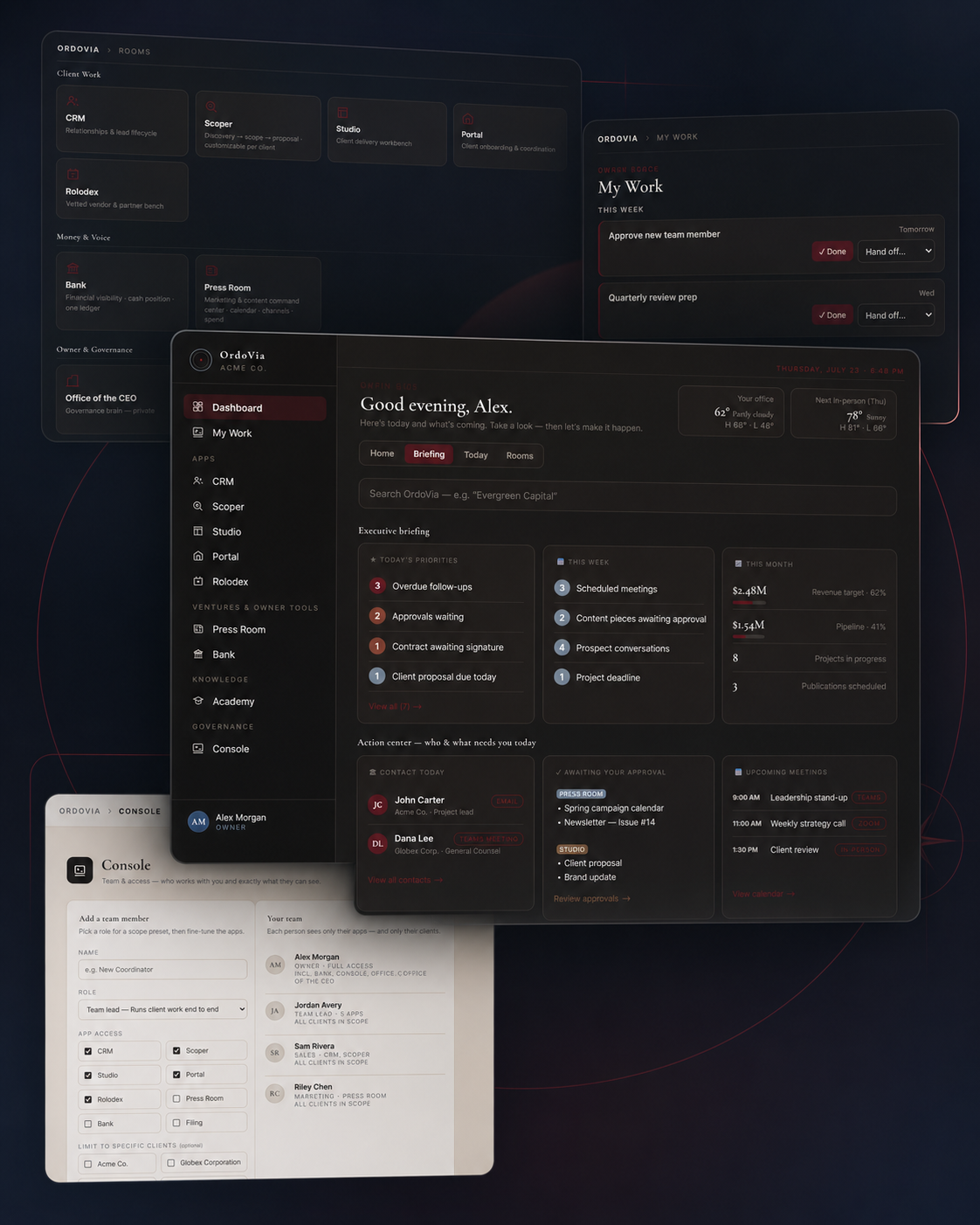
OrdoVia was designed with that kind of business in mind. Depending on the setup, the system can include:
- CRM and company records
- Contacts
- Projects
- Tasks and assignments
- Pipelines
- Client portals
- Vendor portals
- Documents
- Procedures and reference material
- Management views
A company can use the parts that are useful to it without building its operation around features it does not need.
Configuration
Configured around the company.
The core platform is already built. From there, the setup can be adjusted for the company using it. That may include roles, project types, pipeline stages, terminology, access, procedures, and selected workflows.
A mortgage company may use the system differently from a logistics company. A real estate business may need a different setup from a professional services firm. A solo operator may only need part of the platform.
The structure can change without rebuilding the software from scratch.
Access
Control over access.
OrdoVia allows different people to work in the same system without giving everyone the same view.
A team member can be limited to the part of the business they work in. A contractor can be assigned to a particular project. A vendor can be given access only to information related to that vendor’s work. A client can use the client portal without being given access to the company’s internal workspace.
The company decides what each person is able to see and work with.
This is particularly useful for small teams that rely on outside specialists, contractors, vendors, or people working in different locations.
Setup
Set up by a consultant, not by the customer.
OrdoVia is not a self-service product. Each setup begins with a conversation about the company, its people, and how the business operates. A consultant works directly with the company to configure the platform around its roles, procedures, and working relationships.
Pricing is based on what the setup requires for that particular company. The configuration is different for every business, and the pricing reflects that.
Integrations
Optional outside services.
OrdoVia can connect with selected outside services used in the normal course of business, including electronic signature, fax, email, and AI.
Those services are connected using the company’s own API credentials. The company controls those accounts independently and can revoke access at any time.
Integrations are optional. The platform is intended to remain useful whether or not a particular outside service is connected.
Start
Every setup starts with a conversation.
The first call is about the company, the team, and how the business operates. Configuration and pricing follow from there.